 ultimate-guide
Smart Refrigerator Features and Benefits for 2026
Last Updated: November 5, 2026
Quick Summary
A smart refrigerator connects to your home network so you can monitor, control, or plan around it through a mobile app, voice assistant, or built-in display. The features that matter most are interior cameras, cooling sensors, and Wi-Fi connectivity, since these change daily habits like shopping and food storage.
- Interior cameras let you check fridge contents from your phone while grocery shopping.
- Cooling sensors adjust compressor output to hold each zone's temperature steady.
- A smart refrigerator with Wi-Fi needs a stable 2.4 GHz or 5 GHz home network and companion app.
- Smart refrigerator price stacks four cost layers, with the display layer growing the premium fastest.
- Ask how long firmware updates are promised and confirm core cooling works without the app.
Table of Contents
- What Makes a Refrigerator Smart in 2026
- Smart Refrigerator Features That Actually Matter
- Smart Refrigerator With Wi-Fi: Connectivity and Compatibility Requirements
- Smart Refrigerator Pros and Cons for Real Households
- Smart Refrigerator Price: What Drives the Premium
- Privacy, Software Support, and Long-Term Ownership Costs
- Choosing the Right Smart Refrigerator at Fast Appliances
- Frequently Asked Questions
What Makes a Refrigerator Smart in 2026
A smart refrigerator is a refrigerator that connects to your home network and lets you monitor, control, or plan around it through a mobile app, voice assistant, or built-in display. That connection is the dividing line.
Shoppers often ask whether these connected features earn their place, or whether they are paying for a screen they will never touch? The honest answer is that smart refrigerator features and benefits in 2026 depend entirely on how your household shops, cooks, and stores food.
Core Smart Features Defined
The connected feature set breaks into four groups:
- Connectivity: Wi-Fi and internet connectivity that link the fridge to an app
- Monitoring: interior cameras, temperature and cooling sensors, door-open alerts
- Control: remote temperature adjustment, ice maker scheduling, diagnostics
Everything else in this guide builds on those four. Understanding which group a feature belongs to tells you what it actually does for you.
Smart Refrigerator Features That Actually Matter
The features worth paying for are the ones that change a daily habit: seeing what is inside without opening the door, keeping temperature steady, and getting a reminder before food goes bad. For a parallel breakdown of smart dishwasher features and their real value, see our related article.

Here is how the main smart refrigerator features stack up:
| Feature | What It Does | Daily Value | Worth It If |
|---|---|---|---|
| Wi-Fi connectivity | Links fridge to app and voice assistants | High | You want remote monitoring |
| Interior camera | Shows contents via app while shopping | High | Your household shops weekly |
| Cooling sensors | Track and adjust temperature zones | High | You store produce and meat |
| Touchscreen display | Family hub, recipes, calendar, whiteboard | Medium | Kitchen is the household hub |
| Voice control | Hands-free temperature and list updates | Medium | You cook hands-busy |
| AI-assisted cooling | Adapts to usage patterns | Medium | You want efficiency |
| Ice maker controls | Schedule and monitor ice production | Low | You host often |
Interior Cameras and Food Visibility
An interior camera turns your phone into a window into the fridge. You can check whether you need milk while standing in the grocery aisle, which cuts duplicate purchases and reduces food waste. The catch: cameras need a clear view, so a packed fridge defeats them. If your shelves are always full, position the camera toward the door bins where the daily items live.
Temperature Control and Cooling Sensors
Cooling sensors monitor each zone and adjust compressor output to hold temperature steady. Adaptive cooling goes a step further, learning household usage patterns and pre-cooling before heavy-use periods.
Touchscreen Displays and Smart-Home Integration
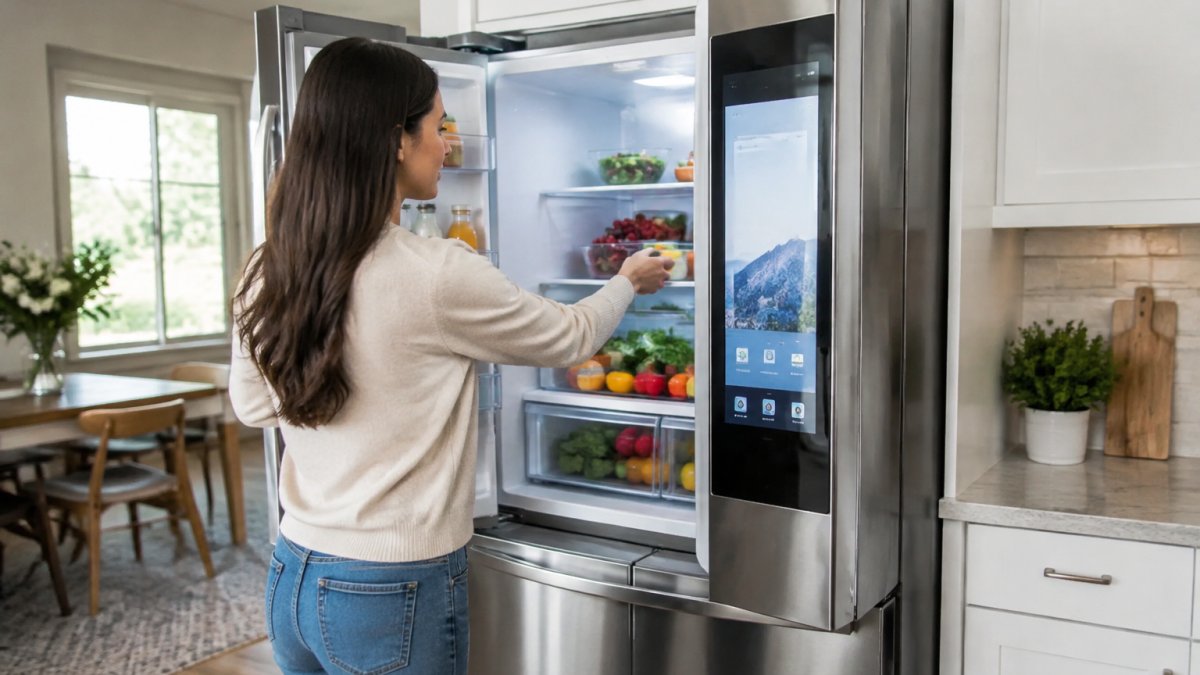
A touchscreen display or family hub bundles a calendar, recipe database, shopping list, and digital whiteboard into the fridge door. Smart-home integration ties it to your thermostat, lights, and voice assistant. Useful if the kitchen is where your household actually gathers. Skip it if everyone already carries a phone.
Smart Refrigerator With Wi-Fi: Connectivity and Compatibility Requirements
A smart refrigerator with Wi-Fi needs a stable 2.4 GHz or 5 GHz home network, a companion mobile app, and a compatible voice assistant or smart-home platform. Check all three before you buy, because a fridge that cannot reach your network is just a fridge with an expensive screen.
Practical checks we recommend before delivery:
- Confirm your router reaches the kitchen; a mesh node may be needed
- Verify the app supports your phone's operating system
- Check whether the model works with your voice assistant of choice
If your kitchen sits at the far end of the house from the router, plan for a signal extender before the fridge arrives.
Smart Refrigerator Pros and Cons for Real Households
The smart refrigerator pros and cons come down to one trade: convenience against complexity. You gain visibility, remote control, and freshness management. You take on app dependence, a higher purchase premium, and more parts that can fail.
Pros:
- Remote monitoring and notifications save shopping trips
- Cameras and inventory tracking reduce food waste
- Sensors hold temperature steadier than manual settings
Cons:
- Higher upfront cost than a comparable conventional model
- Screens and cameras add repair points
- Software support may end before the appliance does
For households weighing a full kitchen upgrade rather than a single unit, 7 reasons smart kitchen appliance packages beat buying separately covers how matching sets change the math.
Smart Refrigerator Price: What Drives the Premium
Smart refrigerator price is not one premium, it is four, stacked on top of a conventional refrigerator's price. Understanding the stack is how you decide which parts are worth paying for.
The four cost layers:
- Base appliance cost: the refrigerator itself, compressor, insulation, shelving, door style, and capacity. This is the price you would pay for the same box without any connectivity.
- Connectivity hardware: the Wi-Fi module, antenna, and control board that let the fridge talk to an app. This is the smallest layer and is now common even on mid-range models.
- Sensing and camera array: interior cameras, zone temperature sensors, door sensors, and the wiring that ties them together. More cameras and more zones mean more cost and more potential repair points.
A useful rule of thumb: the connectivity layer is now close to table stakes, the sensing layer is where most of the practical daily value sits, and the display layer is where the premium grows fastest relative to usefulness.
What moves the number up or down:
- Capacity and door style. A French-door or side-by-side configuration with more zones and more sensors costs more than a top-freezer of similar capacity.
- Screen size and resolution. A larger, higher-resolution display adds both purchase cost and future repair cost.
- Camera count and placement. Cameras aimed at door bins and shelves add cost; a single camera is cheaper than a multi-camera array.
The ownership layer most shoppers miss. The purchase price is only the first number. A connected refrigerator also carries:
- Energy use. Compare the yellow EnergyGuide label on the exact model, not the category. A larger screen and more sensors draw a small but real amount of power, and the compressor and insulation do the rest.
- Repair exposure. A failed display or camera can leave the fridge cooling fine but the features you paid for dead. Ask about parts availability and typical repair costs before you buy.
- Subscription or service fees. Some connected features, cloud camera storage, premium recipe services, extended diagnostics, may require a paid tier. Read the terms, not the demo.
Watch out: a low sticker price on a connected model can hide a paid cloud tier or a short update commitment, so compare the total five-year picture rather than the shelf tag. For a broader look at finding value across the category, see our guide to the best prices on kitchen appliances.
Privacy, Software Support, and Long-Term Ownership Costs
Privacy and software support are the two angles most buying guides skip, and they matter more than the screen size. A connected refrigerator is a networked camera and sensor platform that happens to keep food cold, and it should be evaluated that way.
What the refrigerator actually collects. A connected model can capture interior camera images, door-open events, temperature and usage patterns, app activity, and voice requests if a microphone is present. Where that data goes depends on the manufacturer's design:
- Local storage: images and logs stay on the appliance and are streamed only when you open the app. Lower exposure, but features may stop working if the app is discontinued.
- Cloud storage: images and events are uploaded to the manufacturer's servers. Convenient for remote viewing, but it creates a retention question, how long are images kept, who can access them, and can you delete them?
- Hybrid: recent events cached locally, older events in the cloud. Common, and the hardest to audit.
Before buying, read the privacy policy for three specific answers: whether camera feeds are encrypted in transit and at rest, whether you can delete stored images, and whether data is shared with third parties for advertising. If the policy does not answer those plainly, treat that as a signal.
Network security is your side of the bargain. A connected appliance is another device on your home network. Practical steps:
- Put the refrigerator on a guest or IoT network segment if your router supports it.
- Use a unique password for the appliance account, not one reused elsewhere.
- Enable automatic firmware updates and check that the manufacturer publishes security advisories.
Software support is the quieter risk. A smart fridge depends on firmware updates and a working app. If the manufacturer stops supporting the model, features can degrade while the appliance still runs. Ask three questions before purchase:
- How long are firmware and security updates promised?
- Does core cooling work without the app and without internet? It always should.
- If the app is discontinued, do cameras and schedules keep working locally?
Plan for the features you paid for to have a shorter life than the appliance itself.
Long-term ownership costs to model. Build a five-year picture, not a sticker comparison:
- Energy: compare the EnergyGuide label on the exact model; a connected unit's sensors can help, but insulation and compressor efficiency do most of the work.
- Repairs: displays, cameras, and control boards are the parts most likely to fail and the most expensive to replace. Ask about parts availability and typical repair costs.
- Subscriptions: cloud camera storage, premium recipe services, and extended diagnostics may require a paid tier. Read the terms.
Watch out: a failed display can leave the refrigerator cooling normally but the features you paid for unusable, so confirm that core cooling and temperature control do not depend on the screen or the app. If operating savings are part of your decision, our guide to buying an energy efficient refrigerator online walks through what to compare.
Choosing the Right Smart Refrigerator at Fast Appliances
Choosing well starts with your kitchen, not the feature list. Each trades space, price, and repair complexity differently, and our refrigerator buying guide comparing French door, side-by-side, and top-freezer styles lays out the trade-offs.
Then match features to habits. A household that shops weekly benefits most from an interior camera and food inventory tracking. A household that cooks daily benefits from cooling sensors and adaptive cooling.
Fast Appliances LLC offers a wide variety of home appliances, including refrigerators, washers, dryers, stoves, microwaves, dishwashers, cooktops, and ovens, with convenient online ordering.
Frequently Asked Questions
What features make a refrigerator smart?
A smart refrigerator connects to your home Wi-Fi and pairs with a mobile app for remote control and monitoring. Common features include interior cameras so you can see contents from your phone, temperature and cooling sensors, adaptive cooling that adjusts to household usage patterns, a touchscreen display, voice control, and smart-home integration. Some models add food inventory tracking, recipe suggestions, and a shopping list. The core distinction is connectivity: without Wi-Fi and app access, a fridge with a screen is mostly a display, not a smart appliance.
Is a smart refrigerator worth buying in 2026?
It depends on how much you value convenience. If you want remote temperature control, interior camera views while grocery shopping, and notifications when a door is left open, the features earn their place. If you mainly need reliable cooling and storage flexibility, a standard refrigerator delivers that for less. Weigh the smart refrigerator pros and cons honestly: you pay a purchase premium for automation and app control, and you should confirm software support timelines and repairability before committing. For busy households, the convenience often justifies the cost.
Do smart refrigerators work without Wi-Fi?
Yes. A smart refrigerator still cools and freezes normally without an internet connection. You lose the app-based remote control, remote monitoring, notifications, and voice features that depend on connectivity. Some models keep interior camera and touchscreen functions running locally, but check the specifications, because behavior varies by brand. If your Wi-Fi drops, the fridge keeps your food cold; you just manage settings on the appliance itself until the connection returns. Confirm connectivity requirements before purchase if smart features are your main reason for buying.
Can a smart refrigerator help reduce food waste?
It can help, but treat the claims with care. Interior cameras and food visibility let you check what you have before shopping, and notifications can remind you about items nearing expiry on some models. Food inventory features and shopping lists support grocery planning. Independent testing of freshness and food-waste claims is limited, so don't buy on marketing alone. The practical benefit comes from the habits the features encourage: seeing your food, planning meals, and shopping with a list. Storage flexibility and a well-organized interior matter just as much.
What are the downsides of a smart refrigerator?
The main downsides are cost, complexity, and dependence on software. You pay a purchase premium over comparable standard models, and repairs involving screens or control boards can cost more. Connectivity requirements mean features stop working if your Wi-Fi or the manufacturer's app support ends. Privacy is another consideration: cameras and usage data raise questions about what is collected and how it is secured. Touchscreens can also feel dated as software ages. None of these are dealbreakers, but factor them into your decision alongside the convenience benefits.
How much does a smart refrigerator cost?
Pricing depends on capacity, brand, finish, and how many smart features are included. Models with interior cameras, large touchscreens, and AI-assisted cooling sit at the top of the range, while Wi-Fi-connected models with app control and basic sensors cost less. Because prices shift with promotions and inventory, check current pricing at Fast Appliances rather than relying on older figures. Compare the smart refrigerator price against a standard model with similar capacity and storage flexibility to see exactly what the smart features add.
What should I look for when buying a smart refrigerator?
Start with the basics: refrigerator capacity that fits your household, storage flexibility, and a cooling system you trust. Then evaluate smart refrigerator features one by one: Wi-Fi connectivity, app control and remote monitoring, interior camera quality, touchscreen usefulness, voice control, and smart-home integration. Confirm connectivity requirements and whether the app works with your phone. Ask about software support timelines, warranty terms, and repairability. Finally, measure your kitchen space and delivery path before ordering so the unit fits on arrival.
The right smart refrigerator is the one whose features match how your household actually lives, not the one with the longest spec sheet. Fast Appliances LLC makes it simple to compare styles, check capacity, and order the model that fits, with a broad appliance selection and direct delivery. Get started with Fast Appliances LLC and equip your kitchen with appliances built for daily use.