 how-to
How to Verify Appliance Warranty Coverage
Table of Contents
- Why Verifying Your Appliance Warranty Coverage Matters
- Step 1: Locate Your Serial Number and Model Number
- Step 2: Gather Your Original Proof of Purchase
- Step 3: How to Register Home Appliances with the Manufacturer
- Step 4: Use Manufacturer Online Lookup Tools
- Step 5: Review Your Owner's Manual for Coverage Details
- Is Extended Warranty Worth It for Appliances?
- Step 6: Contact Customer Support for Status Verification
Last Updated: August 28, 2026
Why Verifying Your Appliance Warranty Coverage Matters
A broken refrigerator at midnight or a washing machine that won't drain can mean the difference between a quick, free repair and an unexpected expense that strains your budget. Many homeowners assume they understand their warranty coverage but miss critical details. Limited warranties, full warranties, manufacturer protection plans, and retailer guarantees operate under completely different rules, and the fine print matters.
This guide walks you through the exact steps to verify appliance warranty coverage so you know exactly where you stand before something breaks. You'll learn how to locate the information manufacturers need, find your proof of purchase even if you've lost the original receipt, and use manufacturer tools to check your coverage status in minutes.
Step 1: Locate Your Serial Number and Model Number
Your serial number and model number are the foundation of every warranty lookup. Without them, manufacturers cannot pull up your specific appliance's coverage information. These numbers identify your exact unit and its manufacturing date, which determines whether it's still within the warranty period.
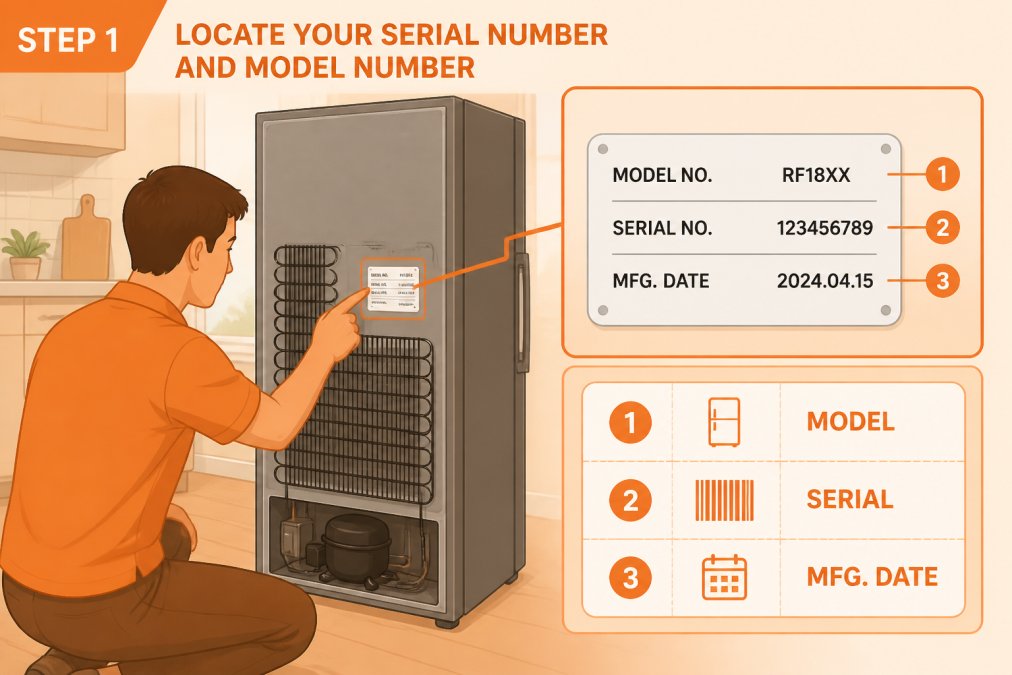
Where to Find These Numbers on Common Appliances
Refrigerators and freezers: Check the back wall inside the fridge, usually on the upper right side, or behind the unit.
Washing machines and dryers: The data plate is typically on the back or inside the door frame.
Dishwashers: Look inside the door frame or on the top edge of the interior tub.
Ovens and ranges: Check the back wall inside the oven or the back exterior.
Microwaves: The plate is usually on the back exterior.
Air conditioning units: Check the side panel or back of the unit.
The data plate is a small rectangular sticker or metal label with white text on a dark background. It contains your model number, serial number, and often the manufacturing date. Manufacturing date matters because warranties run from manufacture, not purchase, an appliance sitting in a warehouse for six months before you buy it has already started its warranty period (the FTC).
Recording Your Information for Future Reference
Once you find the serial number and model number, take a photo with your phone and store this information in three places: a document on your computer, a note in your phone, and a physical copy in a drawer. This simple step saves enormous frustration later when you need to file a warranty claim.
Step 2: Gather Your Original Proof of Purchase
Your proof of purchase is the second critical piece of information. Manufacturers need to confirm you own the appliance and when you bought it to determine whether it's still within its coverage period. Your proof of purchase can be a receipt, invoice, credit card statement, or digital confirmation email.
What to Do If You've Lost Your Receipt
Check your email. Search for the order confirmation using keywords like the appliance brand or retailer name.
Contact the retailer. Most retailers can look up your purchase history using your card number or phone number on file and print a new receipt.
Check your credit card statement. Log into your account and search the statement from the month you purchased the appliance. The charge serves as proof of purchase.
Ask the manufacturer directly. Many manufacturers will cross-reference their sales records using your serial number.
Look for the original packaging. Check for a packing slip or invoice inside the box.
You don't need the original physical receipt, a credit card statement, email confirmation, or retailer reprint all count as proof of purchase.
Step 3: How to Register Home Appliances with the Manufacturer
Registration is optional but the fastest way to verify your warranty coverage. When you register, the manufacturer links your serial number to your purchase date in their system. Many manufacturers offer extended coverage or additional benefits to registered owners, including free technical support or expedited service calls.
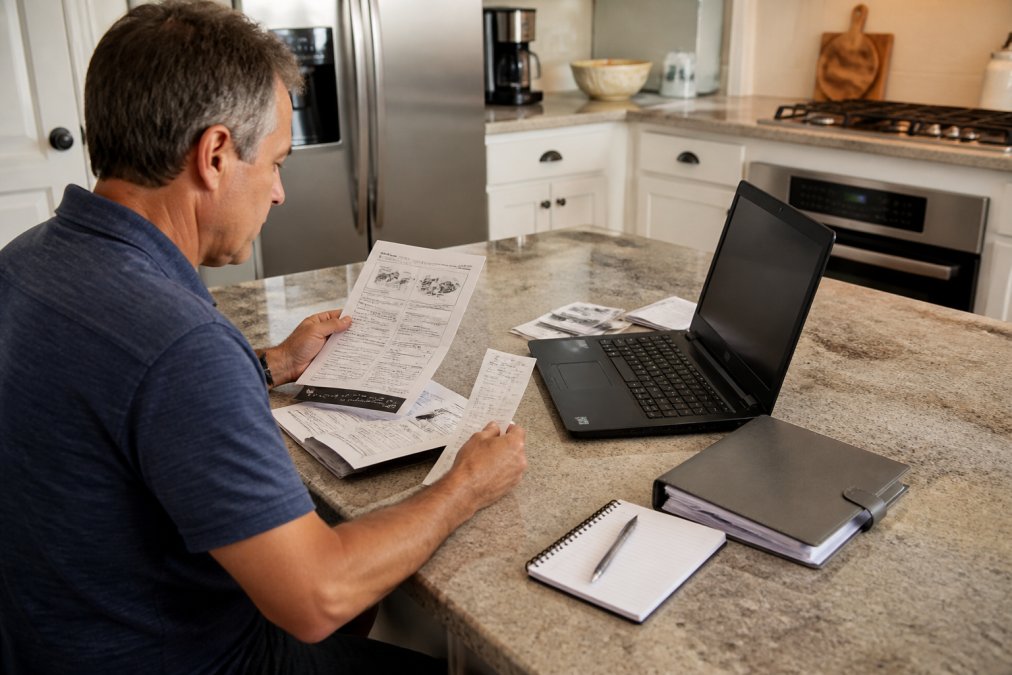
Online Registration vs. Mail-In Registration
Online registration is the standard method. Visit the manufacturer's website, look for "warranty registration" in the footer or support section, create an account, and enter your appliance details. The process takes three to five minutes and provides immediate confirmation.
Mail-in registration is an older method that still works. Fill out a physical form, include a copy of your receipt, and mail it to the manufacturer. This takes two to three weeks but accomplishes the same goal.
Most homeowners choose online registration because it's faster and provides immediate confirmation.
Step 4: Use Manufacturer Online Lookup Tools
Once you've registered, you can verify your appliance warranty coverage using the manufacturer's online lookup tool. Visit the manufacturer's website, find the warranty status or coverage checker tool, and enter your serial number. The system will display your coverage details: the warranty type, expiration date, and what parts and labor are covered.
If you can't find the lookup tool, call customer support with your serial number and model number ready. You'll verify your warranty coverage over the phone in under five minutes.
Step 5: Review Your Owner's Manual for Coverage Details
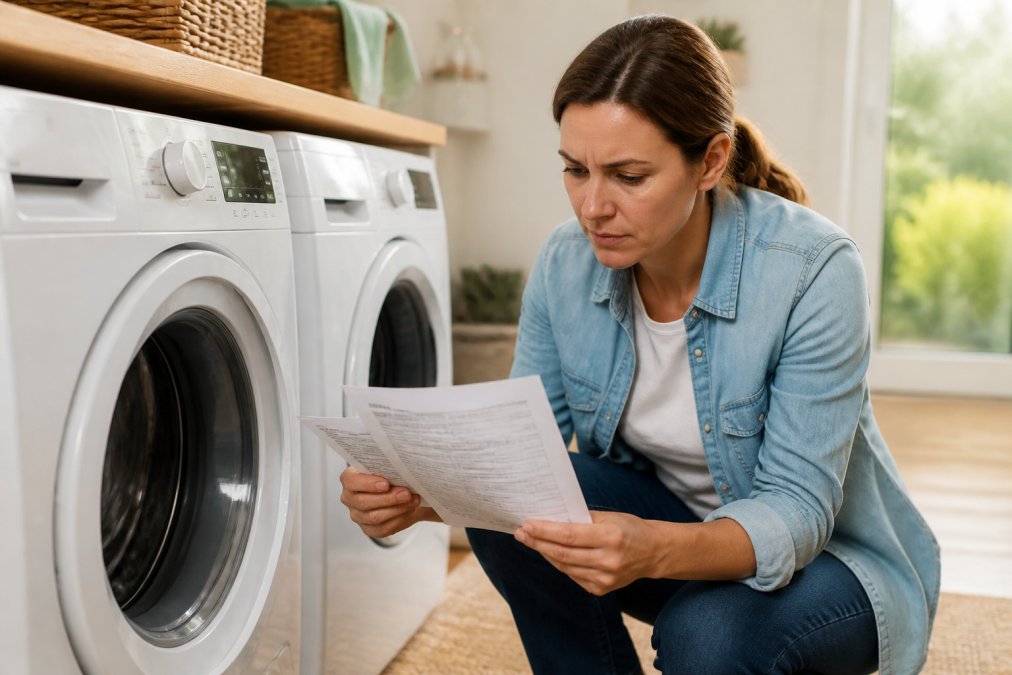
Your owner's manual contains the warranty terms and conditions specific to your appliance. The manual typically includes a warranty section near the front or back that lists the coverage period, exclusions, and instructions for filing a claim.
If you've lost your physical manual, download a PDF version from the manufacturer's website by searching for your brand and model number plus "owner's manual."
Understanding Limited vs. Full Warranty Terms
Limited warranty is the standard protection most appliances come with. A typical limited warranty covers parts and labor for one year from the date of manufacture (the FTC). Limited warranties have exclusions, they typically don't cover damage from accidents, misuse, improper installation, normal wear and tear, or power surges.
Full warranty is rarer and more comprehensive. A full warranty covers the entire appliance for a specified period with no exclusions. Full warranties are uncommon because they're expensive for manufacturers to honor.
Most appliances come with a limited warranty. Understanding this distinction sets realistic expectations about what's covered.
Is Extended Warranty Worth It for Appliances?
Extended warranties are optional protection plans that extend your coverage beyond the manufacturer's limited warranty, typically adding two to five years of coverage at 10 to 30 percent of the appliance's purchase price (the FTC).
When Extended Protection Plans Make Sense
Extended warranties make sense for high-value appliances you plan to keep for many years. A refrigerator or range costing over $1,500 is worth protecting, repair costs can exceed $500 outside the manufacturer's warranty period.
Extended warranties also make sense if you have a history of needing repairs. Extended warranties are less valuable for budget appliances or if you plan to replace appliances frequently.
Credit Card Extended Warranty Benefits
Many credit cards offer automatic extended warranty coverage on purchases made with the card. Check your credit card's benefits guide or contact your card issuer to confirm whether your card includes extended warranty protection. Some cards extend the manufacturer's warranty by an additional year or more at no extra cost. This benefit typically requires filing a claim with your credit card company rather than the manufacturer, but the coverage is free.
Step 6: Contact Customer Support for Status Verification
If you want to verify your warranty coverage without using online tools, contact the manufacturer's customer support team directly. Have your serial number, model number, and proof of purchase ready. The support representative will tell you exactly what's covered, when coverage expires, and what steps to take if you need a repair.
Most manufacturers offer support via phone, email, and live chat. Phone calls are fastest, you'll get answers in minutes.
Knowing your appliance warranty coverage protects you when repairs are needed. Taking 15 minutes now to locate your serial number, gather your proof of purchase, and verify your coverage with the manufacturer saves you stress and money later.
At Fast Appliances LLC, we understand that appliance reliability matters. We stock a wide variety of washers, dryers, refrigerators, stoves, microwaves, dishwashers, cooktops, and ovens designed to serve your household for years. When you need a replacement or upgrade, we make it simple to find the right appliance with convenient online ordering and direct delivery to your home. Get started with Fast Appliances LLC and invest in appliances backed by manufacturer warranties and our commitment to your satisfaction.
Frequently Asked Questions
Q: How can I check if my appliance is under warranty without a receipt?
A: You can verify appliance warranty coverage using your serial number and model number alone. Contact the manufacturer's customer support directly with these details, or use their online lookup tool on the company website. Provide your purchase date if you remember it, and the manufacturer can access their records to confirm your coverage status. Many brands maintain digital records tied to the serial number, making verification possible even without the original receipt.
Q: What information do I need to look up an appliance warranty?
A: You'll need your serial number, model number, and ideally your original purchase date. These details are found on the data plate inside or behind your appliance. If you have your proof of purchase (receipt, invoice, or credit card statement), that helps confirm the purchase date. The manufacturer's lookup tool or customer support team can verify your warranty coverage with just the serial and model numbers, though the purchase date speeds up the process.
Q: Is extended warranty worth it for appliances?
A: Extended warranties vary in value depending on the appliance type and your situation. High-cost items like refrigerators and washing machines may justify extended coverage since repairs are expensive. Check if your credit card offers extended warranty benefits first, as many premium cards automatically extend manufacturer coverage at no additional cost. Review what the extended plan actually covers (parts, labor, in-home service) and compare the cost against the likelihood of repairs during that period.
Q: How do I know if my warranty registration is complete?
A: After registering, you should receive a confirmation email or letter from the manufacturer with your warranty registration details. Log back into the manufacturer's website and check your account to see your registered appliances listed with coverage dates. You can also contact customer support with your serial number to confirm they have your registration on file. Keep this confirmation for your records in case you need to file a claim later.
This article was written using GrandRanker